
Editable AI CAD
Start with a prompt, then adjust the result with object-level editing, transforms, and direct property controls.
Create parts in your browser with editable primitives, STL remixing, sketch tools, and print checks in one workflow.
No signup required to start
Start with AI, then keep working with object-level controls instead of starting over.
It combines prompt-driven part creation with the controls you need to keep refining printable geometry inside the same editor.
Start with a prompt, then adjust the result with object-level editing, transforms, and direct property controls.
Import existing STL meshes and keep working on them in the same workspace as your native objects.
Run print readiness checks before export with build-volume and quality thresholds visible in the app.
Use screw tools, snap tabs, sketch extrude, sketch revolve, and edge finishing for real part workflows.
These screenshots come directly from the running editor.
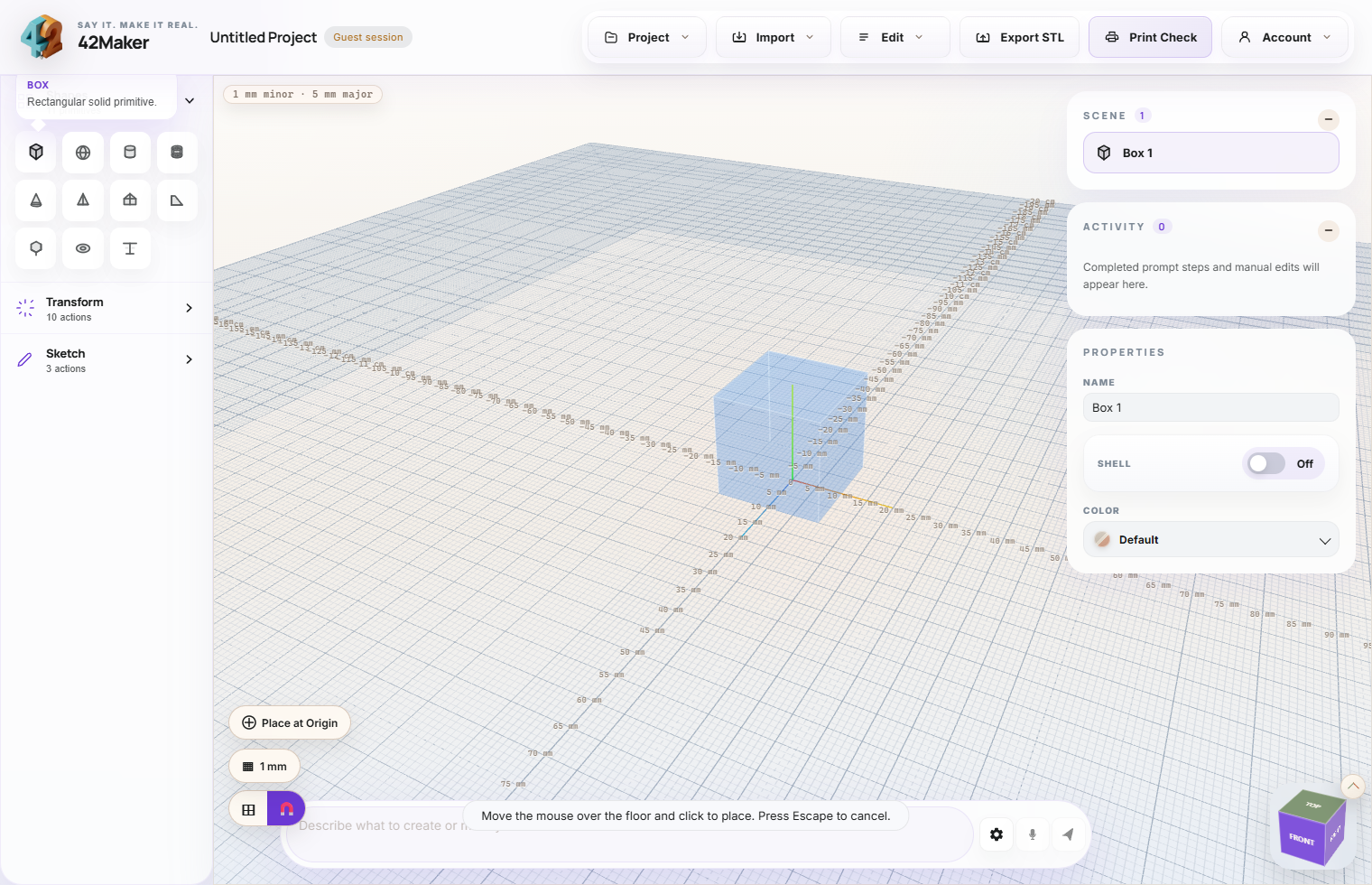
A clean editor overview with primitives, transforms, sketch tools, scene objects, and properties in one layout.
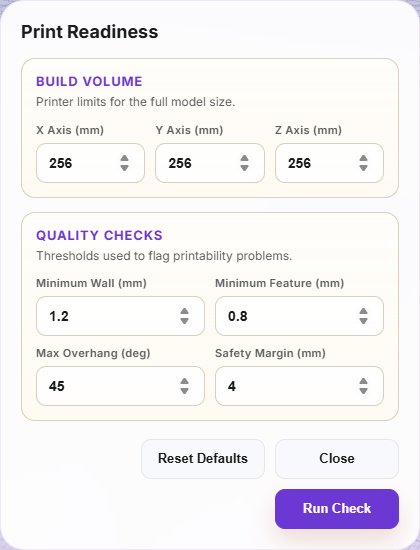
The print check dialog exposes build-volume limits and printability thresholds before you export.
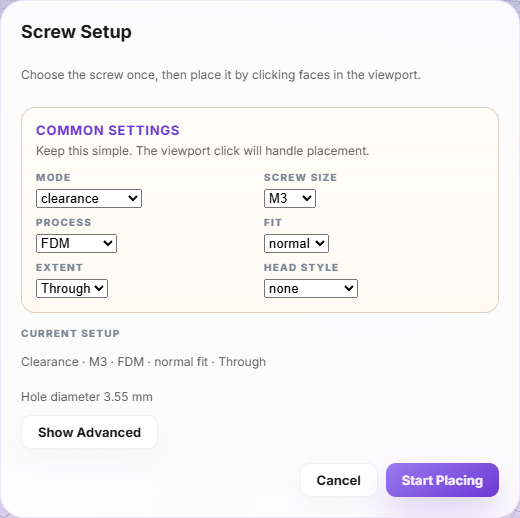
The screw tool sets up clearance holes, pilot holes, inserts, and related fastener options from one panel.
Open the editor instantly and start building in your browser.
Guest mode is available if you just want to try it